 Georaf Team
Why Your Map Data Ended Up in the Wrong Country (And How to Fix It)
Your map entries are showing up on the wrong continent. The problem is almost always a coordinate system mismatch. Here is why it happens and how to fix it.
You uploaded your geographic data. The map loaded. Everything is in the South Atlantic Ocean, or somewhere in Siberia, or just completely off the edge of the visible world.
Nothing looks obviously wrong with the file. The entries are there. The numbers are there. But the map is clearly showing them in the wrong place.
This is the most common "my map is broken" problem in geographic data, and it almost always has the same cause: the coordinates in your file are correct for one measurement system, but the software is reading them as if they belong to a different one.
Coordinates are numbers, and numbers need context
A coordinate like (400000, 5700000) is meaningless without knowing what system it comes from. In one system, those numbers describe a specific spot in central Europe. In another, they don't correspond to any real place at all. In the system most web maps expect, they'd land somewhere in the ocean.
Geographic data uses dozens of different coordinate systems. Some measure in degrees (latitude and longitude). Others measure in meters, offset from a specific reference point. Each produces different-looking numbers for the same physical location.
When software reads a file, it needs to know which system the numbers are in. If it guesses wrong, or if the file doesn't say, entries get placed incorrectly.
Why files end up in the wrong system
There are a few common ways this happens.
The .prj file is missing from a Shapefile. A Shapefile stores its coordinate system in a separate .prj sidecar file. If that file gets separated from the rest (somebody sent just the .shp, the .prj got dropped during a file transfer, or someone deleted it by accident), the software opening the file has to guess. Some tools assume a default. Others ask you to pick. Either way, if the guess is wrong, your data ends up in the wrong place.
If you're working with Shapefiles and missing a .prj file, see the Shapefile explainer for what those files are and why they have to travel together.
The file is GeoJSON but not actually in WGS 84. GeoJSON is supposed to always use WGS 84, the GPS coordinate system where coordinates are longitude and latitude in degrees. The format's official standard says this explicitly. But plenty of software that exports GeoJSON doesn't actually convert the coordinates first, it just relabels the file. So you end up with a file that says "GeoJSON" but contains coordinates in a projected system measured in meters. Every tool that reads it will assume WGS 84 and place the entries in the wrong location.
The data came from a government or engineering source. Surveyors, national mapping agencies, and engineering firms routinely work in local coordinate systems. A dataset for France might be in a French national grid. A dataset for a US state might be in a State Plane system. These are often more accurate for their region than the global GPS system, which is exactly why professionals use them. But they look completely foreign to web-mapping tools that expect degrees.
The software defaulted to the wrong system. Some tools have a default coordinate system. If a file doesn't specify its own, the tool uses the default. If that default doesn't match what the data was created in, the mismatch produces wrong placement. This is especially common when combining data from different sources that were each created with different assumptions about what the default was.
What the wrong placement usually looks like
Data in the ocean. If your entries are plotted far out at sea, the coordinates are likely in a projected system measured in meters, but the software is reading them as degrees of latitude and longitude. The values are too large to be degrees (latitude only goes to 90, longitude to 180), so they fall outside the normal map area and get clamped or plotted at the edge.
Data in the right general region but offset. This suggests a similar projection that uses a different origin point. Common with national coordinate systems that use a local reference point instead of the equator and prime meridian.
Everything collapsed to a single point. If all entries land in the same spot, often at (0, 0) off the west coast of Africa, the coordinates probably failed to parse at all and got set to the default null value.
Data rotated or stretched. More subtle, but sometimes a coordinate system mismatch shows up as geometry that's shaped correctly but scaled or stretched in a particular direction.
How to fix it
The fix is called reprojection: you convert all the coordinates from the system they're currently in to the system your map expects.
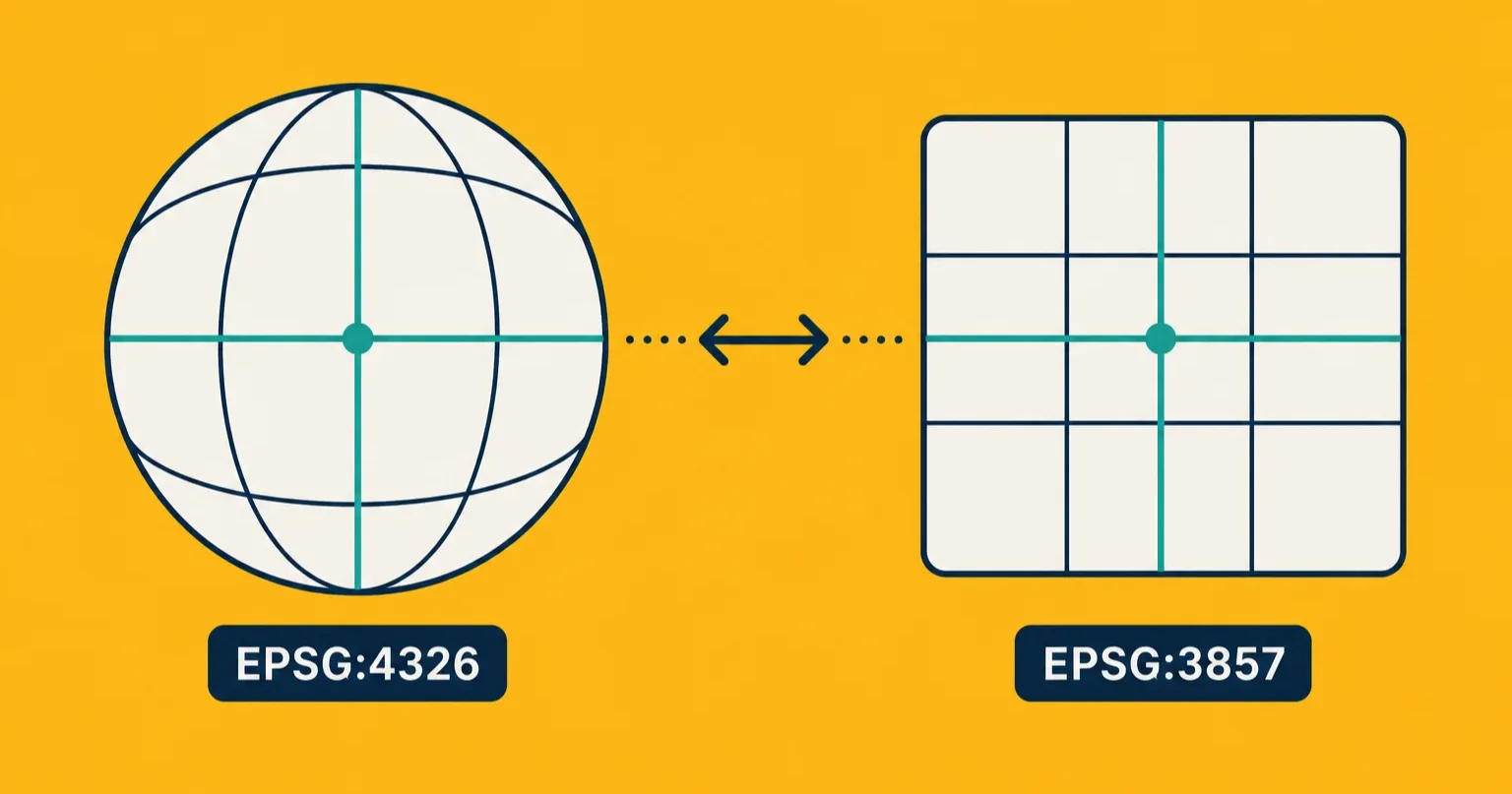
Before you can reproject, you need to know what system the file is currently in. If the Shapefile has a .prj file, read it. It's a plain-text file and will either name the system or contain an EPSG code, which is a numbered identifier for a specific coordinate system. If you have a GeoJSON file with suspiciously large coordinate values, compare them to the expected ranges described in the EPSG:4326 vs EPSG:3857 guide.
Once you know the source system, reprojection tools can convert to WGS 84 (the standard for web maps):
In QGIS. Right-click the layer, choose Export, Save Features As, and change the CRS dropdown to EPSG:4326. QGIS will convert on export.
In ogr2ogr (command line).
ogr2ogr -f GeoJSON -t_srs EPSG:4326 -s_srs EPSG:27700 output.geojson input.shp
Replace EPSG:27700 with whatever your source system is.
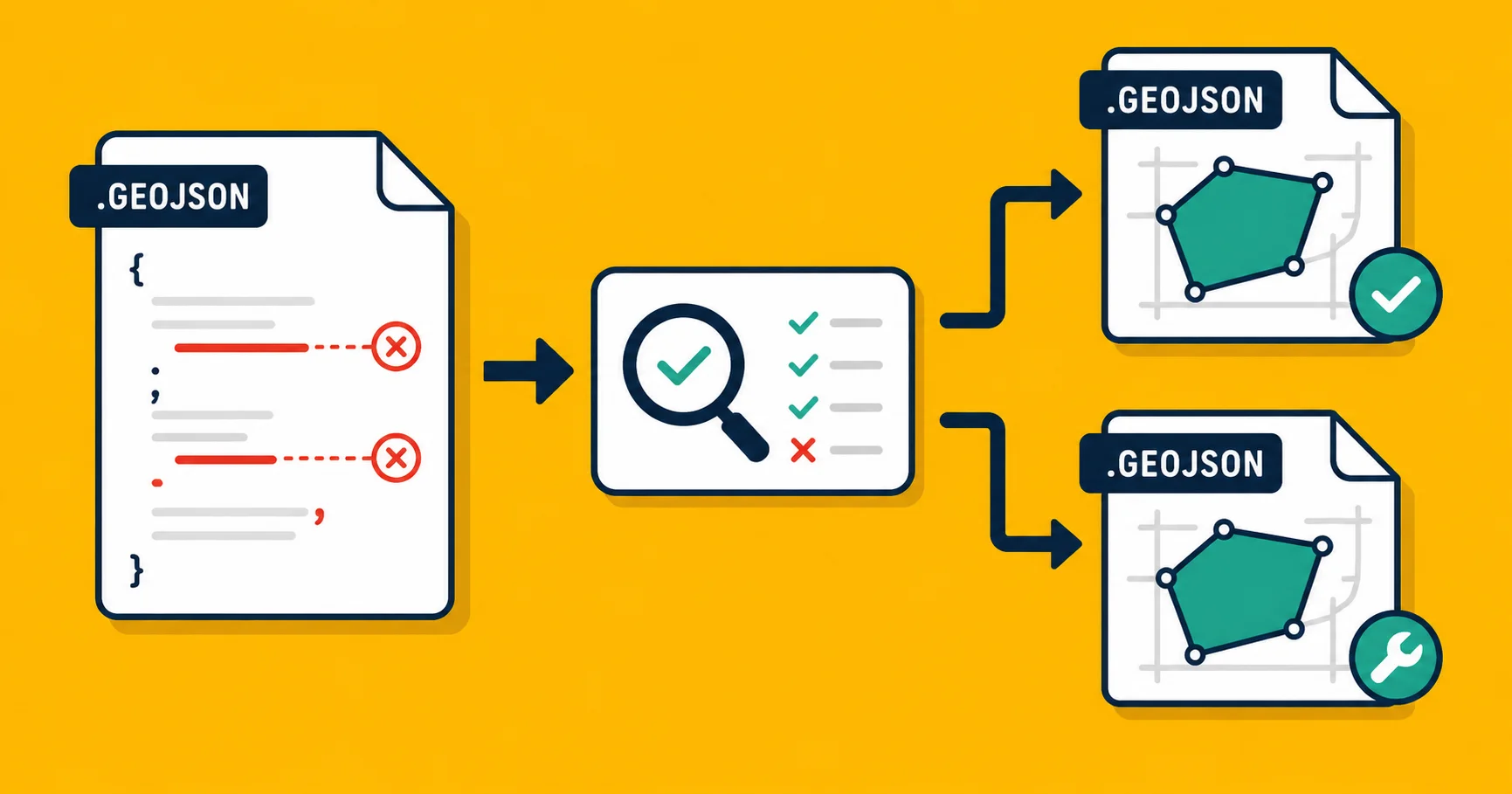
In Georaf. Drop the file on Georaf. The health check detects common coordinate system issues and flags them in plain English. If the file can be reprojected automatically, it is. If the system is ambiguous (for example, a Shapefile with no .prj), you'll be told what's missing and what to do.
When you don't know what system the file is in
This is the genuinely hard part. If the .prj is gone and the file has no metadata, you need to figure it out from the coordinates themselves.
Start by looking at the numbers. If longitude is between -180 and 180 and latitude is between -90 and 90, it's probably already in WGS 84 and the problem is elsewhere. If the values are large (hundreds of thousands, or millions), it's a projected system measured in meters.
To narrow down which projected system, you can try a few common ones for the region the data is supposed to cover. Most countries have one or two standard national coordinate systems used by their mapping agencies. A quick search for "country name national grid EPSG" usually surfaces the right candidate.
You can also look at the metadata or provenance of the file. Where did it come from? If a government agency or surveying firm produced it, their standard system is often documented on their data portal.
Georaf's health check compares coordinates to expected ranges for common systems and flags when something looks off. It won't always identify the exact source system, but it catches the most common mismatches.
The underlying issue is a lack of shared defaults
The geographic data world has hundreds of legitimate coordinate systems. None of them is wrong. They're each correct for their intended purpose. The problem is that when data passes between systems, tools, and organizations, the context about which system is being used often gets separated from the data itself.
A file with coordinate values and no system information is like a temperature reading without units. It might be Celsius. It might be Fahrenheit. The number alone isn't enough.
The best thing you can do when receiving geographic data from an external source is immediately check and document the coordinate system, and convert to WGS 84 before storing or publishing it. That way everything downstream operates from the same baseline. Validating the file's health as soon as you receive it catches coordinate system problems before they propagate.
If you have a file right now that's plotting in the wrong place, drop it on Georaf. The health check will tell you what it finds.