 Georaf Team
Why Google My Maps Isn't Enough (And What to Do Instead)
Google My Maps is free and familiar, but it hits walls fast. Here are the real limitations and three better paths depending on what you need.
Google My Maps is genuinely useful. If you need to drop a few pins on a map, share it with someone, and have it show up on their phone without any setup, it works perfectly. Free, no software to install, and nearly everyone already has a Google account.
The problem is that it hits hard limits quickly, and the limits aren't always obvious until you're already inside them and trying to get work done. This piece covers what those limits are, when they actually bite you, and three alternatives depending on what you need.
The real limitations
Entry count. Each layer in My Maps holds 2,000 entries. You can have up to 10 layers per map, which gives a theoretical ceiling of 20,000 entries, but managing anything that size across layers by hand is not practical. In practice, once you're past a few hundred entries, the interface starts to feel slow and working with the data becomes tedious.
Import file size. My Maps caps KML and KMZ imports at 5 MB. That sounds like a lot until you try to import a boundary file for a state or a large county, or any dataset with fine-grained outlines. Complex outlines generate big files. A single detailed boundary layer for a mid-sized city can easily exceed 5 MB.
Styling. You can change the color and icon of an entry, but that's roughly the extent of it. No conditional styling (entries matching a condition get colored differently), no gradients, no custom icon URLs, no control over label appearance. If you want a map that communicates something through visual variation in the data, My Maps can't do it.
Offline support. There isn't any. My Maps requires a connection to view and edit. If you're doing field work in an area with poor signal, it's not an option.
Exports. My Maps exports as KMZ. Which is fine, KMZ is a standard format. But some tools open it cleanly and some choke on the styling My Maps embeds inside the file. If you've tried importing a My Maps export into another tool and had it fail or look wrong, this is probably why. The actual geometry survives, but the packaging can cause problems.
No API. You can't query a My Maps layer programmatically. There's no endpoint you can hit from code to pull out the current data. If you want to build anything on top of your map data, or sync it with another system, you're out of luck.
Embed customization. The iframe embed My Maps produces is basic. You can't control zoom level in the snippet, you can't hide the Google UI, and the embed defaults to a style you can't change. It looks like Google Maps, which is fine if that's what you want, less fine if you want the map to fit into the visual design of your site.
When My Maps is actually the right tool
To be fair about it: My Maps is the right choice when your dataset is small, you want it to be readable by anyone with a Google account, you're not building anything with the data, and you don't care about custom styling.
The use case it serves well is "I want to share a quick map with a few people without any friction." That's a real and common need. My Maps handles it better than most alternatives because everyone already has Google, the sharing is straightforward, and there's nothing to install or explain.
The problems show up when the dataset grows, when you need to import or export reliably, when you want to embed the map on a website with some control over how it looks, or when you need to access the data from code.
Alternative 1: Landplot, for field mapping on a phone
If you're using My Maps primarily because you need to map things while standing in a field, the better path is a dedicated field mapping app.
Landplot is a free iOS and Android app that does what My Maps does on a phone, plus a few things My Maps can't. You drop markers, draw outlines, record a GPS track as you walk a boundary, and attach photos to any marker. It works offline, so no-signal sites aren't a problem.
The key difference from My Maps is the export. Landplot exports as KML, KMZ, or GeoJSON, in formats that other tools read cleanly. You're not stuck in the Google ecosystem. The file you get out is a standard file you can open in Google Earth, QGIS, or upload to a converter.
If the reason you started with My Maps was "I need to map something from my phone," Landplot is the more capable replacement with no tradeoffs that matter in practice.
Alternative 2: Georaf, for converting and cleaning My Maps exports
If you already have data in My Maps and need to get it out in a format that works elsewhere, this is a two-step process.
Step one: export from My Maps as KMZ. (File menu, then Download.)
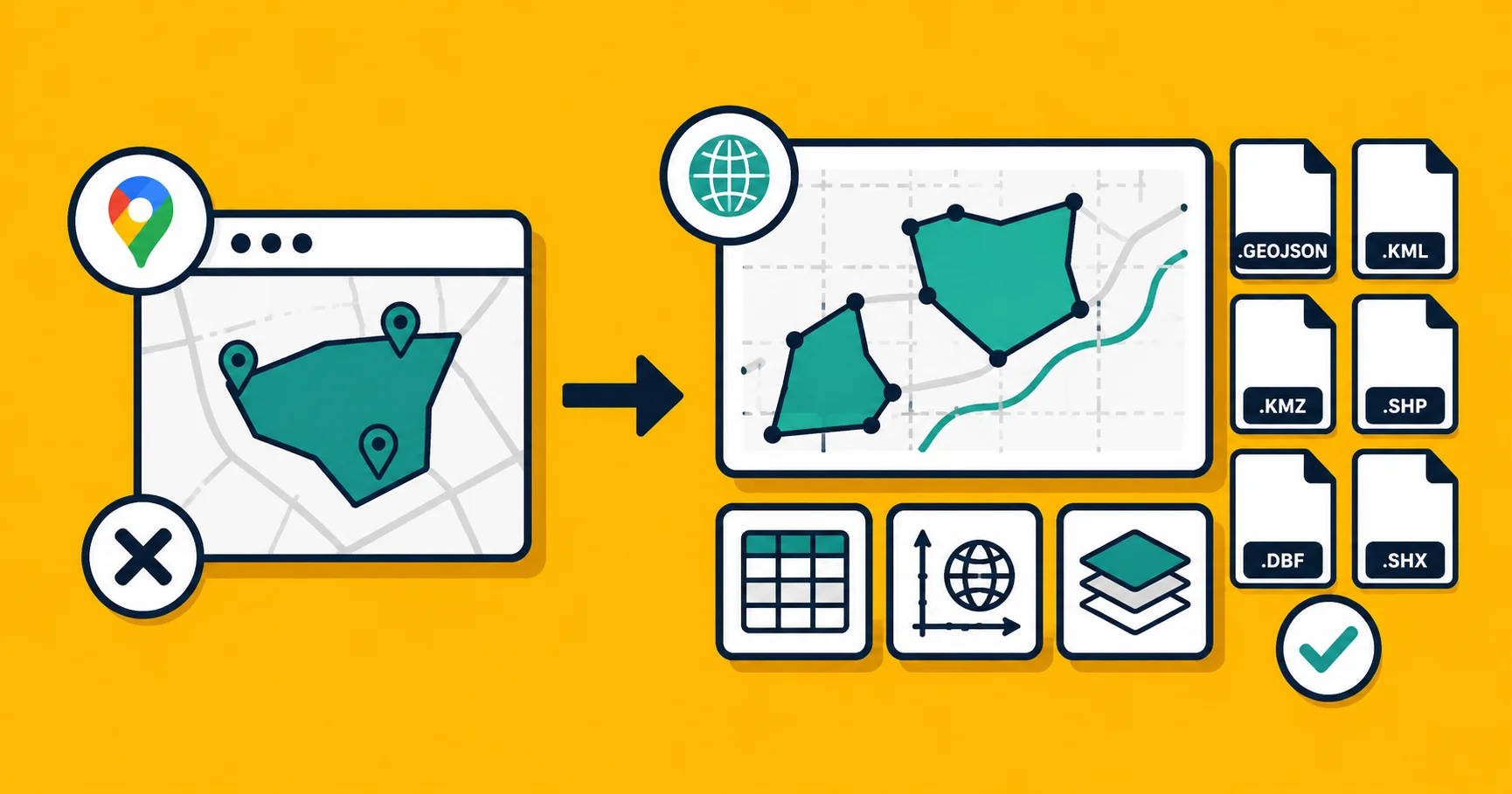
Step two: upload that KMZ to georaf.com. From there you can convert it to GeoJSON, Shapefile, or KML, check the file for any geometry issues, and download the result.
This matters when a tool you're using refuses to open the KMZ export directly, or opens it but strips the data, or when you need Shapefile format for a colleague using ArcGIS. The converter handles the translation and also surfaces any entries with broken geometry or coordinates that don't make sense, which occasionally turns up in exported My Maps files.
Converting KML and KMZ files is the main thing georaf.com does, and My Maps exports are a common starting point.
Alternative 3: Georaf, for embedding a map on a website
If you were using My Maps specifically to get an embed map onto a website, georaf.com does the same thing with more control over the result.
The workflow is: upload your file (GeoJSON, KML, KMZ, or Shapefile), set a default view, and copy the iframe snippet. Paste it into any website or CMS. The embed is pannable and zoomable, like a My Maps embed, but the styling is cleaner and you're not forced to show Google branding and UI.
This is covered in more detail in the embed a map on a website piece, which walks through the full comparison of embedding options including when it makes sense to use a JavaScript library versus an iframe.
The decision in practice
| Your situation | Use |
|---|---|
| Small dataset, share with anyone, quick | Google My Maps |
| Field mapping from a phone, works offline | Landplot |
| Need to convert a My Maps export to another format | georaf.com converter |
| Embed a map on a website with cleaner styling | georaf.com embed |
| The map is a core part of a product you're building | Leaflet or MapLibre (see the embed guide) |
| More than a few hundred entries and the file keeps breaking | georaf.com (handles large files) |
The honest version: My Maps is the answer if you need something working in the next ten minutes with no friction. Once you're past a few hundred entries, need reliable exports, need a clean embed, or need to work offline, one of the three alternatives fits better.
Most people who search for "Google My Maps alternative" have already hit one of those walls and know what's frustrating them. If it's the 5 MB import cap or a failed export, georaf.com is the direct fix. If it's offline field work, Landplot. If it's embed control or format flexibility, those are both georaf.com.
A note on data portability
One practical thing worth knowing: your My Maps data is not trapped. Export it as KMZ at any time, then convert that to GeoJSON if you need it in a more portable format. GeoJSON is the format that the broadest range of modern tools accepts, and once you have your data there, it will open in anything.
The three-minute export-and-convert process is usually enough to move everything out of My Maps and into a format you own more cleanly, without being tied to what Google decides to do with My Maps in the future.